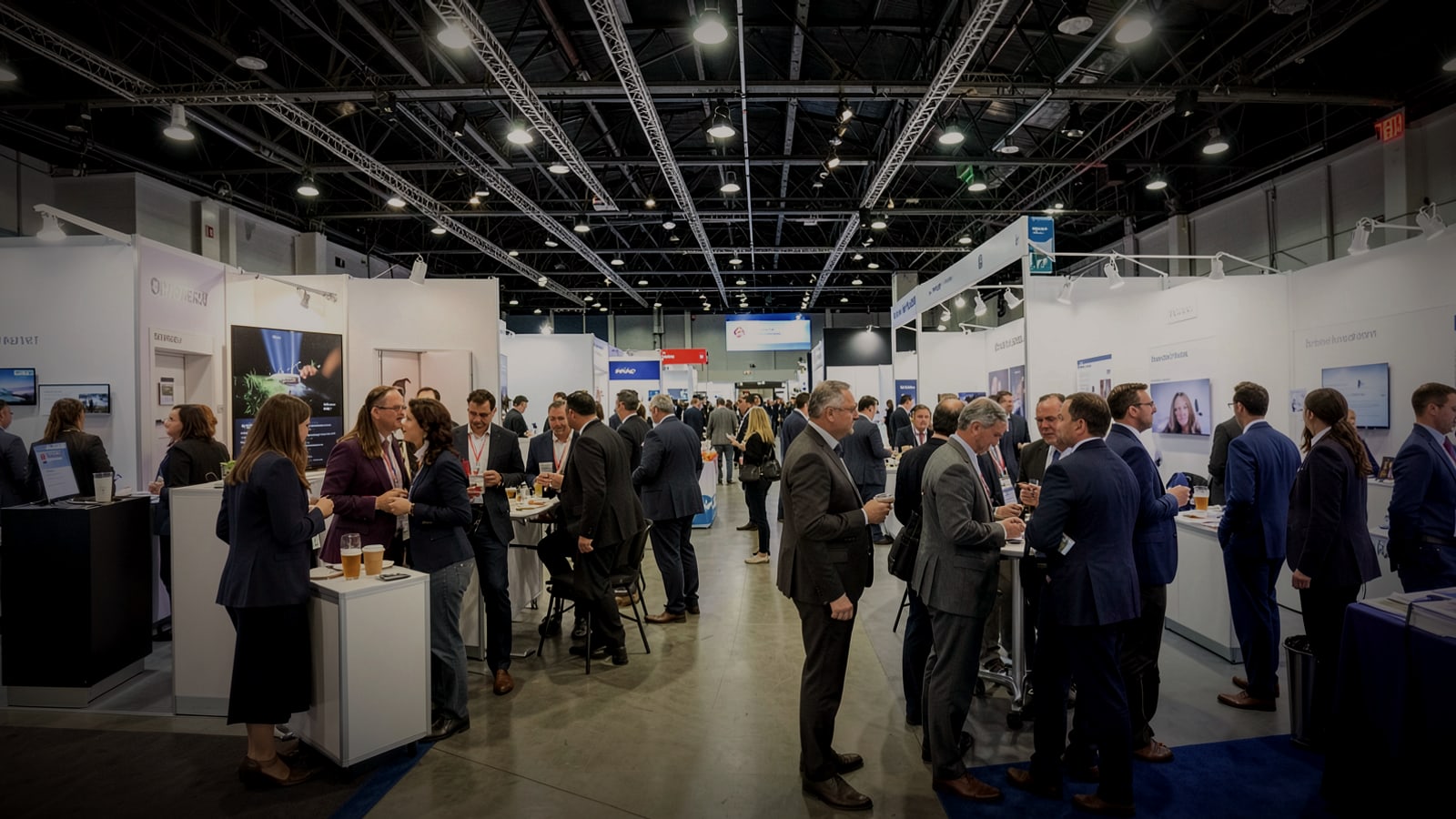
Music at a conference or trade show does real work: it fills the arrival, cues the stage, and signals breaks. Here is a segment-by-segment plan, how to keep a booth audible without annoying neighbors, and a plain explanation of who licenses event music.
Music at a corporate event is rarely the headline, but people notice when it goes wrong: a silent registration hall, a keynote speaker walking out to dead air, a booth so loud that nobody can hear the demo, or a livestream muted halfway through because of a copyright claim. Good music for corporate events is mostly planning. You decide what each part of the day needs, who presses play, and who holds the license.
This guide covers a segment-by-segment plan, sound at trade show booths, walk-up and stage cues, and the licensing questions planners often miss. It applies to music for conferences, product launches and receptions, and it is written for in-house event teams, marketing managers and small agencies rather than production companies with a full audio crew.
Plan music for corporate events segment by segment
Most events follow the same shape. Give each segment a purpose, an energy level and an owner.
- Arrival and registration: the room is empty and people arrive alone. Music removes the awkward silence and signals that the event has started. Warm, mid-tempo and mostly instrumental, loud enough to fill the space but low enough for check-in conversations.
- Networking and coffee breaks: this is background music for events in the purest sense. People need to talk, so keep lyrics sparse and volume clearly below conversation. A steady groove helps the room feel alive without competing.
- Walk-in before sessions: a slight lift in energy as people take their seats, then a clean fade, not an abrupt stop, when the host takes the stage.
- Stage cues: short stingers for speakers walking on, award winners and returns from breaks.
- Lunch and dinner: softer and warmer than the networking set, especially if tables are round and conversation-heavy.
- Evening reception or party: here more energy and vocals are fine. If there is a DJ or band, it is a separate booking with its own requirements.
Write all of this into a one-page run sheet with times, the playlist for each segment, the target volume and the person responsible. Without one, music becomes whatever the AV technician happens to have on a laptop.
Building a corporate event playlist
A corporate event playlist has a harder job than a bar playlist: the audience is mixed in age, taste and nationality, and nobody chose to be there for the music. That argues for a few simple rules.
- Avoid explicit lyrics entirely. Even one track can become the thing people remember.
- Prefer instrumental or lightly vocal tracks during networking. Words compete with conversation.
- Avoid chart hits for background use. They pull attention, invite commentary and are almost always PRO-registered.
- Keep tempos steady. Roughly 100 to 120 BPM suits networking and arrivals; slower for meals; higher only for the party.
- Plan for length. A two-day conference can easily need ten hours or more of background music. A short playlist looping every 90 minutes will be noticed by the second morning.
Warm deep house works well for arrivals and receptions because it has a steady pulse without aggression. Our deep house collection is built around mellow, rolling grooves around 120 to 124 BPM with warm piano chords; some tracks carry vocal hooks, so keep those for receptions rather than quiet networking corners. Hotel lobby and conference spaces work on similar principles to hospitality venues; our hotels page shows the approach.
Trade show booth music: be heard, not hated
On an exhibit floor, trade show booth music has a narrow window of usefulness. It can make a booth feel open and branded, and it can mask some of the hall noise for conversations inside the booth. It can also annoy your neighbors, drown out your own sales staff and violate the show's rules.
- Read the exhibitor manual first. Look for anything about sound levels, speakers and music. Some shows restrict amplified sound or require that it stay within your booth.
- Point speakers into the booth, not the aisle. Small speakers aimed inward and down keep the sound where your visitors are.
- Set the level with your staff in place. Stand at the counter and have a normal conversation. If you have to raise your voice, it is too loud.
- Use headphones for demos. If your product demo has important audio, put it on headphones or a directional speaker rather than raising the whole booth.
- Check your videos. Product videos looping on a screen often contain music. That music was licensed for the video, and whether that license covers public playback at a trade show is a separate question worth asking whoever produced it.
Stage and walk-up cues
Walk-up music is short, but it shapes how a moment feels. Keep cues between 10 and 30 seconds, cut them at a musical phrase so the fade sounds intentional, and cue them in advance in the order of the run sheet. For awards, prepare one neutral cue for all winners rather than personalized songs, which invites last-minute requests and licensing questions. Tell the AV team exactly when each cue fades: the host's first word is usually the right moment.
Event music licensing: who needs what
This section is general information, not legal advice.
U.S. copyright law gives songwriters and publishers the right to control public performances. Under the definition in 17 U.S.C. 101, a performance is public if it happens at a place open to the public or at any place where a substantial number of people outside a normal circle of family and social acquaintances is gathered. A conference with hundreds of delegates or a trade show open to registered visitors clearly fits.
The performing rights organizations offer licenses for exactly this situation. BMI, for example, publishes a Music License for Meetings, Conventions, Trade Shows and Expositions. A few details from that agreement are useful for planners:
- It is written for the organization that runs the events, and covers events of up to 14 consecutive days, including functions such as meals, receptions, breakouts and dinner-dances.
- The fee is per attendee. The agreement lists a 2026 rate of $0.10 per attendee, adjusted for inflation in later years. When music plays on the exhibit floor, the count is the total number of registered attendees; otherwise it is attendance at the functions where music plays. Staff, exhibitor personnel and credentialed press are not counted.
- It excludes transmission outside the premises, including via the internet. A livestream is a different question.
- It notes that other rights, such as synchronization, may be needed. Music in a recorded session video falls into that category.
Each PRO licenses only its own repertoire, so a license from one does not cover songs represented by another. Venues such as hotels and convention centers may hold their own licenses, but do not assume that covers your event; ask in writing. Our guide to whether you need a license to play music in your business explains how the PROs divide the market.
Livestreams and recordings. If sessions are streamed or recorded for later viewing, music in them is no longer just background. Many streaming platforms scan for copyrighted recordings automatically, and a claim can mute or block a stream in the middle of a keynote. The simplest approach is to keep music out of the streamed and recorded parts, or to use music whose license explicitly allows that use.
Where WeavyAudio fits, and where it does not
WeavyAudio is a background music service licensed for playback at a subscriber's registered location. Section 3 of our terms grants a license to publicly perform the catalog at the registered location only, and the terms do not allow re-broadcasting the music. In practice:
- Events at your own registered location, such as an open day at your office, a product launch in your showroom or a client reception in your lobby, are the kind of background use the license is built for.
- Offsite venues and trade show booths are not your registered location. Do not rely on your subscription there without checking with us first.
- Livestreams, recorded session videos and social clips are outside what the license covers.
If you host regular events in your own space, you can see the plans.
A planner's music checklist
- Draft the run sheet with segments, times, playlists, volumes and owners.
- Confirm who holds the performance licenses: you, the organizer, the venue, or a mix.
- Check the exhibitor manual or venue rules for sound restrictions.
- Build playlists long enough that nothing repeats within a day.
- Prepare stage cues in order, trimmed and tested on the actual system.
- Decide which sessions are streamed or recorded, and keep unlicensed music out of them.
- Do a sound check with the room empty and again when it fills.
- Keep an offline backup of every playlist in case the venue network fails.
FAQ
What music is best for corporate events?
Warm, mid-tempo and mostly instrumental music for arrivals, networking and meals, with more energy and vocals saved for evening receptions. Avoid explicit lyrics and chart hits in background segments.
Do I need a license to play music at a conference?
Usually, yes. A conference is a public performance under U.S. law. The PROs offer event licenses, typically held by the organizer; check whether the organizer or venue already holds them for your event.
Can I play music in my trade show booth?
Often, within the show's rules on sound. Check the exhibitor manual, keep volume contained to your booth, and ask the organizer whether their licenses cover music on the exhibit floor.
Can we use music in our event livestream?
Only with a license that allows it. BMI's event license, for example, excludes transmission outside the premises. The safest approach is to keep music out of streamed segments unless you have explicit permission.
How long should a corporate event playlist be?
Long enough that nothing repeats within a day. For a full conference day, plan several hours per segment type rather than one short list on loop.